
HyperSkill August Update: Unified Platform Home, Line Graph VO, and macOS Support
July brought role-based dashboards and career pathway simulations. August pulls everything together — a new unified home screen that puts every HyperSkill tool one click away, a Line Graph virtual object for data-driven simulations, macOS support, and quality improvements across the Skillful catalog. Here's what's new.
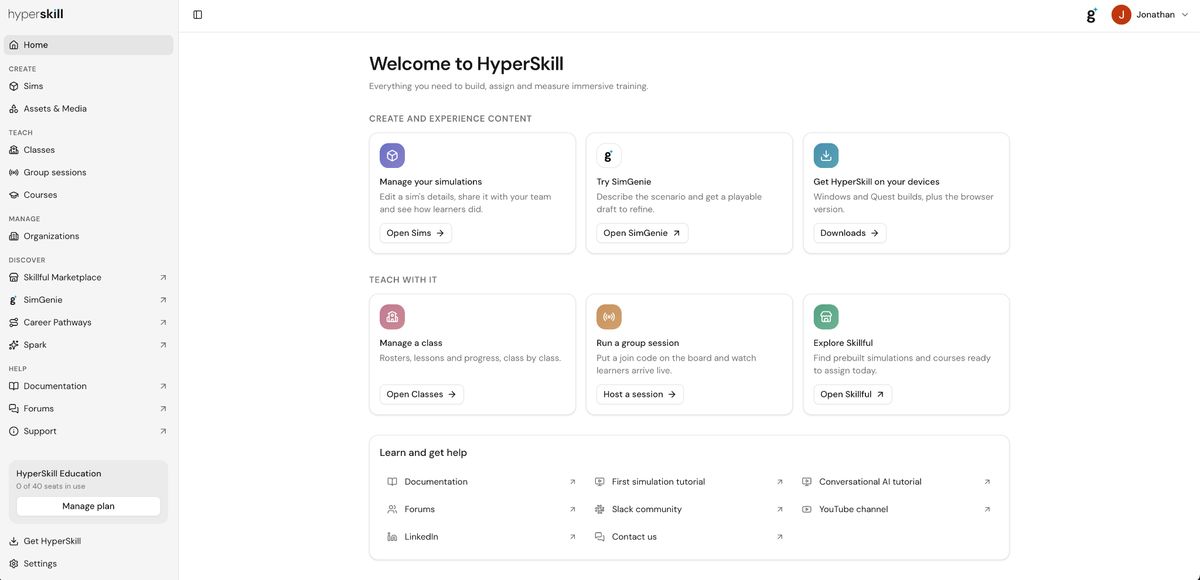
New Unified Platform Home
The HyperSkill web portal now opens to a single, purpose-built home screen — combining what was previously split between the Dashboard and User Portal into one unified entry point. Every tool is organized into clear sections so users can get where they're going without hunting.
- Create: manage sims, launch SimGenie, download builds
- Teach: classes, group sessions, Skillful catalog
- Discover: Career Pathways, SimGenie, Spark
- Help: docs, forums, Slack, YouTube — all in one place
Line Graph Virtual Object
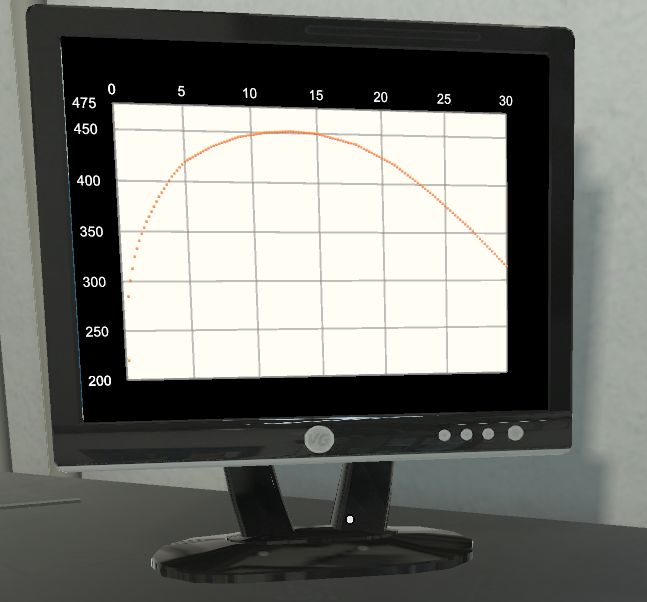
A new Line Graph virtual object is now available in HyperSkill, allowing authors to embed data visualizations directly into simulations. The graph renders inside a monitor in the 3D environment and can be configured with custom data points — useful for scenarios involving process monitoring, trends, or any context where learners need to read and interpret a graph as part of the task.
TTS Voice by Voice ID
Authors can now specify a Text-to-Speech voice by exact voice ID rather than selecting from a short list of default options. This gives much finer control over narration and character voices in simulations — particularly useful for multilingual deployments or sims where consistent, specific voices are part of the learner experience.
macOS Build
HyperSkill now has a native macOS build. In addition to Windows, Quest, and browser, learners and authors on Mac can now run HyperSkill directly on their machines — expanding where simulations can be accessed without requiring a headset or Windows device.
Skillful Catalog Revision
The team is working through a full quality pass on the Skillful simulation catalog — updating simulations across the library to improve fidelity, consistency, and overall learner experience. This is an ongoing effort that will continue to roll out across catalog content in the coming months.
Bug Fixes
- VR session replay: fixed an issue where replaying a VR session would not play back correctly.
- Pico TTS: resolved a text-to-speech issue affecting Pico devices.
- Pico highlight: fixed highlight interactions on Pico headsets.
Explore the Platforms
Generate your first AI simulation: simgenie.siminsights.com
Browse the Skillful catalog: marketplace.siminsights.com
About HyperSkill
HyperSkill is a no-code 3D simulation platform for both Virtual and Augmented Reality. HyperSkill was created to enable instructional designers to create immersive training content without having to learn programming. HyperSkill includes thousands of 3D assets and simulations that are accessible for free to users.
About SimInsights
SimInsights' mission is to democratize the creation of 3D, interactive, immersive, and intelligent (I³) simulations. We believe that simulations are the most impactful way to learn, yet few people can actually leverage them as a creative medium. SimInsights offers HyperSkill, a no-code tool to enable everyone to capture their knowledge in the form of 3D immersive, AI-powered simulations and share it with others.