
HyperSkill July Update: Role-Based Dashboards, Career Pathway Simulations, and 6 New Languages
June brought full offline VR and SCORM integration. July focuses on visibility — giving every user role a purpose-built dashboard, expanding Career Pathway with simulation recommendations so learners can explore a career before committing to it, and pushing language support to 127 languages. Here’s everything new.
New Dashboards for Every Role
The HyperSkill web platform now has three distinct dashboards — one each for Authors, Teachers, and Learners — each surfacing exactly what that role needs to see, without the noise of the others.
- Author course analytics and per-learner progress
- Teacher class management and lesson tracking
- Learner activity, skill mastery, and session history
- Role-specific data, cleanly separated
Course Dashboard (Author View)
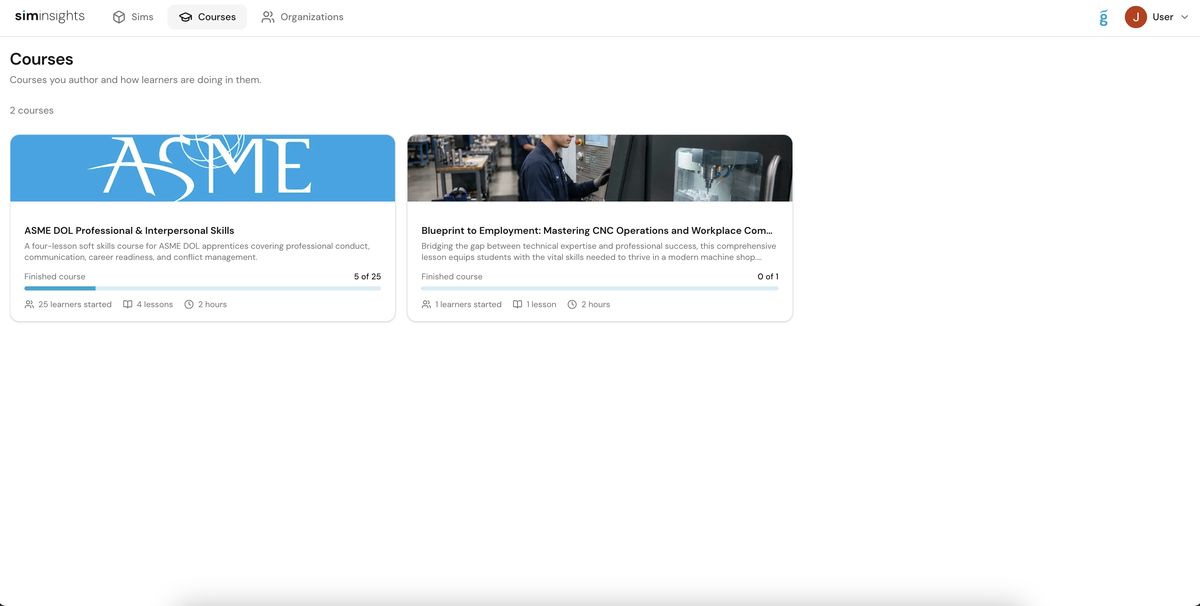
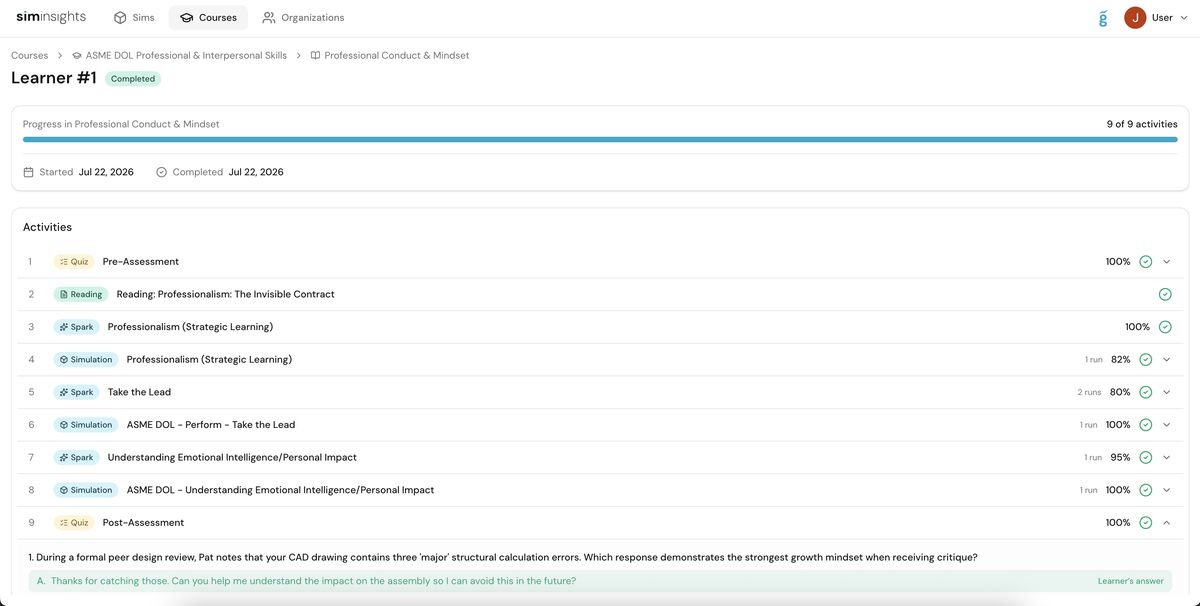
Authors now have a dedicated Courses view showing every published course, learner enrollment counts, lesson counts, and overall progress. Clicking into a course reveals a per-learner breakdown — completed activities, individual scores on quizzes, Spark sessions, and simulations, all in a single timeline view.
Teacher Dashboard
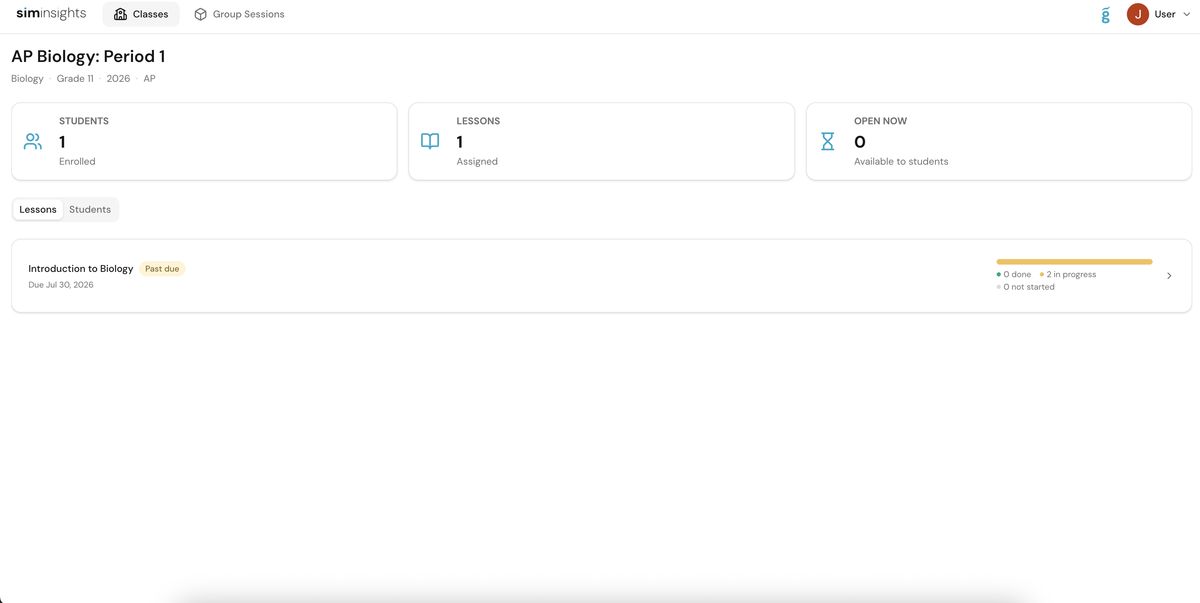
Teachers get a class-level view with everything needed to monitor a cohort: students enrolled, lessons assigned, open status, and per-lesson progress bars showing how many students are done, in progress, or haven’t started. Past-due lessons are clearly flagged.
Learner Dashboard
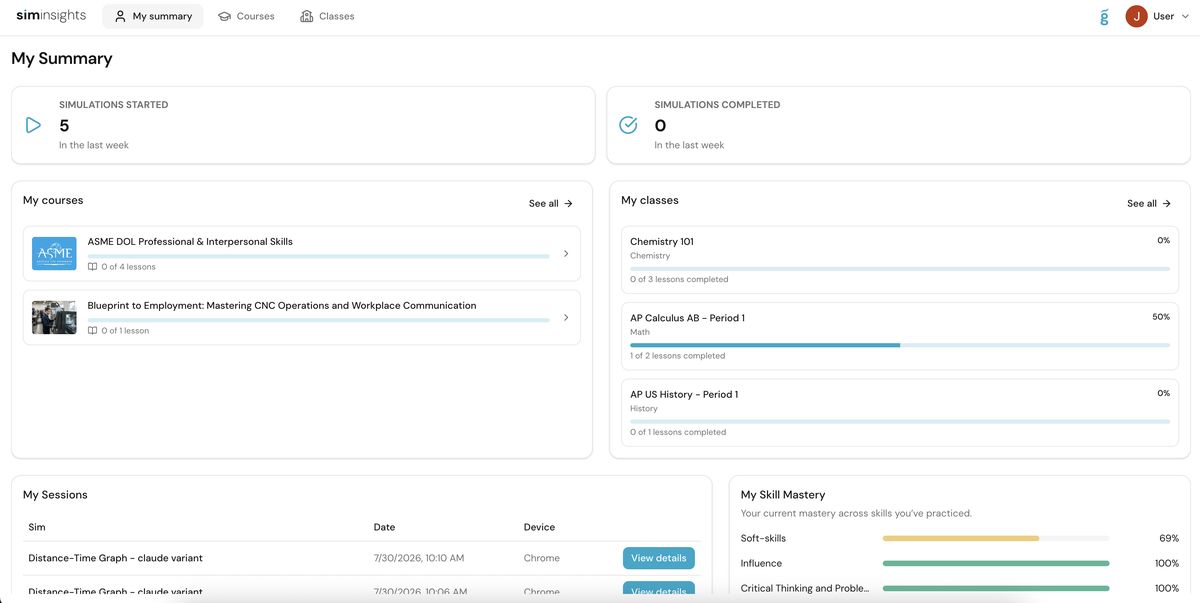
Learners now land on a personalized My Summary page showing simulations started and completed in the last week, active courses and classes with lesson-by-lesson progress, recent session history, and a running Skill Mastery breakdown across every competency they’ve practiced.
Career Pathway: Simulation Recommendations
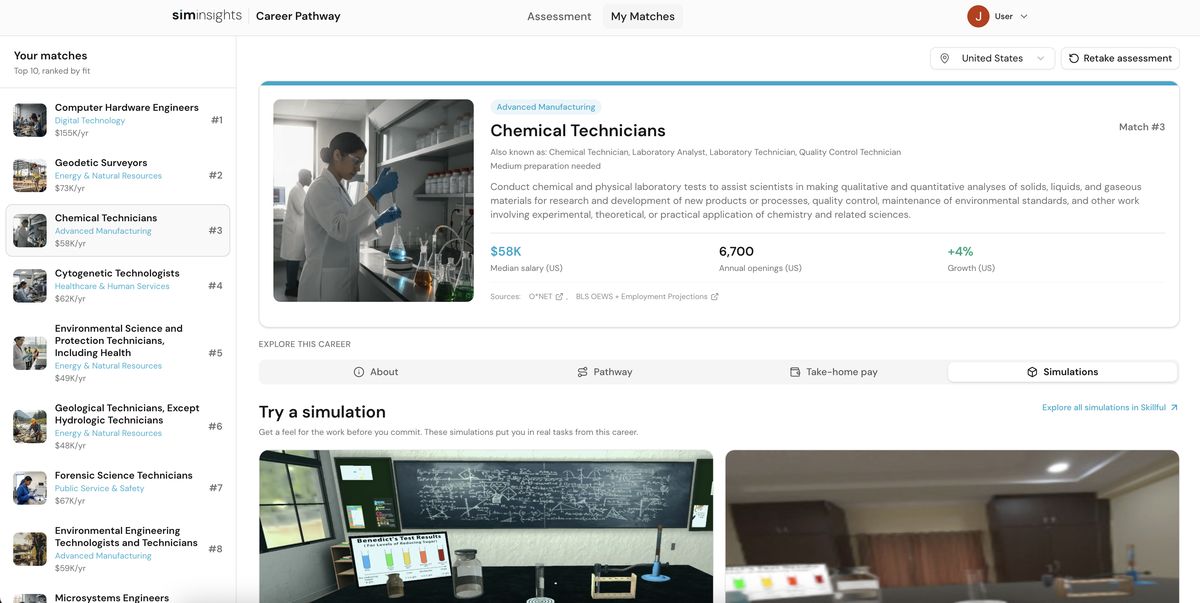
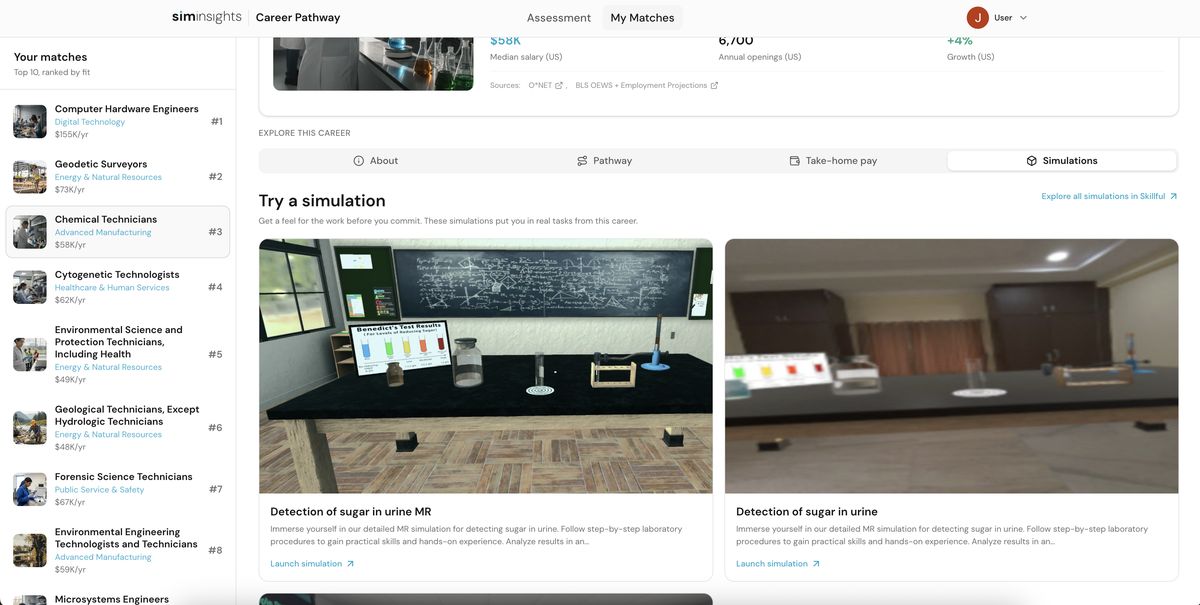
Career Pathway now goes beyond surfacing careers — it connects each matched career directly to simulations learners can try right now. When a learner is matched to a role like Chemical Technician, they’ll see relevant simulations pulled from the Skillful catalog alongside salary data, job openings, and growth stats. One click launches the simulation.
Launcher UI Update & Automatic Selection
The VR launcher has a refreshed UI this month, along with automatic selection improvements that reduce the number of manual steps needed to get into a simulation — particularly useful for managed deployments and classroom settings where learners need to get started quickly.
6 New Languages
HyperSkill now supports six additional languages:
Combined with previous releases, the platform now supports on-demand localization in 127 languages — making it possible to deploy the same simulation to a multilingual workforce or classroom with no re-authoring required.
VR & Platform Improvements
Cleaner Run Timeline & Event Log
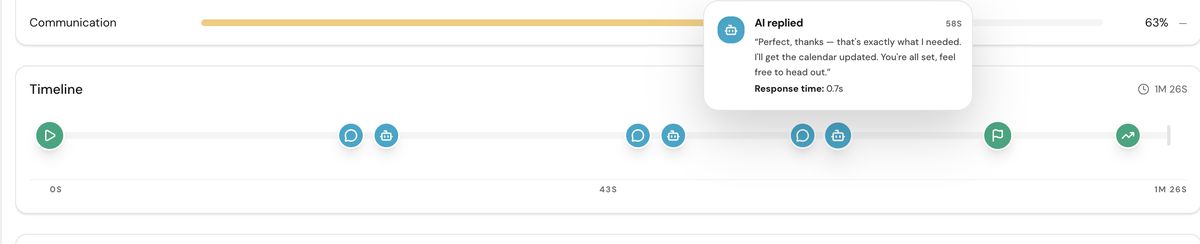
The session timeline in the analytics dashboard has been redesigned. Events are now displayed as distinct icons on a clean horizontal track, and clicking any event expands a detail card — including AI response content, response time, and timestamps. The new layout makes it much easier to follow a learner’s path through a simulation at a glance.
Specific Device & OS Information
Session summaries now show the exact device model and operating system — for example, Quest 3S running Android 14 — rather than just a generic device category. This makes it much easier to correlate performance issues or completion patterns with specific hardware across a deployment.
Additional Improvements
- Load time optimization: continued performance improvements to simulation load times across devices.
- Checklist improvement: checklist interactions in VR are more reliable and easier to complete.
- Haptic feedback: haptic responses added to relevant VR interactions for a more immersive feel.
Explore the Platforms
Generate your first AI simulation: simgenie.siminsights.com
Browse the Skillful catalog: marketplace.siminsights.com
About HyperSkill
HyperSkill is a no-code 3D simulation platform for both Virtual and Augmented Reality. HyperSkill was created to enable instructional designers to create immersive training content without having to learn programming. HyperSkill includes thousands of 3D assets and simulations that are accessible for free to users.
About SimInsights
SimInsights’ mission is to democratize the creation of 3D, interactive, immersive, and intelligent (I³) simulations. We believe that simulations are the most impactful way to learn, yet few people can actually leverage them as a creative medium. SimInsights offers HyperSkill, a no-code tool to enable everyone to capture their knowledge in the form of 3D immersive, AI-powered simulations and share it with others.